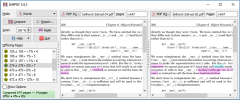
Compare Suite from AKS LABS is an efficient file compare solution that performs multiple comparison tasks with various files types, folders and directories (also, ftp folders). These days, PC users work with a variety of text files types, like MS Office, Open Office, RTF and PDF docs. The latter file extension is quite popular among PC users.
Lots of prices lists, tech documentation and even personal correspondence have *pdf extension. Very often these files need to be compared to locate differences and similarities (for example, updated version of a price list, new contract version or tech specifications of two laptops). Manual comparison is certainly not the best idea since use of file comparison software is the most effective and error-free ways to diff pdf files.
To contrast files with Compare Suite, one does not need to possess any advanced IT knowledge. Gone are the times when only IT savvy people were able to effectively use various software solutions. AKS LABS always makes sure that its products are accessible even by inexperienced PC users. Thus, if you are familiar with most popular office applications, Compare Suite will not pose a problem for you.
The first step is choice of pdf files to be compared. Since all functions and menus in Compare Suite are easy to understand, there should be no problems here. Just run Compare Suite in a file comparison mode, select the files and the software will do all the work for you. Within a second (time depends on files size) all differences between the two files will be marked with colors (by the way, color schemes are adjustable, and so it is possible to use particularly bright colors to increase contrast effect). When the comparison is done, it is time to explore numerous features of Compare Suite that make this software stand out as compared to other similar programs.
Comparison mode adjusts highlighting features. For instance, if you need to see all differences (on a symbol level) char by char comparison is just what you need. If the two compare documents have just a few words in common, it is better to use comparison by keywords. Files with about 60% similarity degree will require a word by word comparison.
To be able to review PDF files, make sure the relevant converter is ON. There are a dozens of such converters in Compare Suite which make this software so powerful and versatile (the software supports over a dozen of file extensions).
In case you are interested in particular parts of text, you need just to select them and choose Compare selected text. In such a way it is possible to contrast abstracts without full comparison of large texts. Compare Suite can also function in a text editor mode as it is possible to amend text, look for words and phrases, replace text etc.
When you are done with comparison, you may introduce comments and generate a report if necessary. Reports may have different forms, but all of them generally contain the most complete info on the compared pdf files.

